Send
Close Add comments:
(status displays here)
Got it! This site "class.powersoftwo.org" uses cookies. You consent to this by clicking on "Got it!" or by continuing to use this website. Note: This appears on each machine/browser from which this site is accessed.
Some fallacies in programming and teaching beginning programming that can be avoided before becoming a learned habit
1. Some fallacies in programming and teaching beginning programming that can be avoided before becoming a learned habit
 Some fallacies in programming and teaching beginning programming that can be avoided before becoming a learned habit.
There were too many to include all of them. A subset was selected. Relevance:
students
teachers
chairs
administrators
2. Teaching
[chairs, computer science vs. business]
3. ASCUE publications

| ASCUE years and papers |
| |
|
|
1994 [2] |
1995 [1] |
| 1996 [2] |
|
1998 [2] |
1999 [2] |
2000 [2] |
| 2001 [2] |
2002 [3] |
|
2004 [2] |
2005 [2] |
| 2006 [2] |
2007 [3] |
|
|
2010 [2] |
| 2011 [2] |
2012 [2] |
2013 [2] |
2014 [2] |
2015 [2] |
| |
2017 [1] |
|
|
|
| 2021 [2] |
2022 [2] |
|
|
|
| Years attended: 21. Presentations: 42. |
4. Abstract
A programming fallacy is something about programming that many people believe is true, but is not actually true. For various reasons, many of these fallacies get taught in beginning programming courses. Eventually, the student needs to realize this and change how they do programming before they start teaching new students the same fallacies. Some of these will be covered with examples and how one might integrate the ideas into a beginning programming course (as done by the author). Understanding the general nature of the fallacies is useful for anyone working with programmers, managing programmers, etc. The (now retired) author, with a PhD in computer science in the area of applied programming language theory, has spent many years teaching in academia, doing software research and development in industry, and, in the process, writing about a thousand pages of code each year for useful programs, small and large, in many different programming languages.
5. Programming fallacies
Truth:
Programming fallacies, once learned, are hard to unlearn.
A programming fallacy is something about programming that many people believe is true, but is not actually true. For various reasons, many of these fallacies get taught in beginning programming courses. Eventually, the student needs to realize this and change how they do programming before they start teaching new students the same fallacies.
6. Lies
 There are a terrible lot of lies going about the world, and the worst of it is that half of them are true. Winston Churchill (British statesman)
So how does one determine what is true and what is not true?
7. Truth types
For most purposes, the following are considered categories of truth.
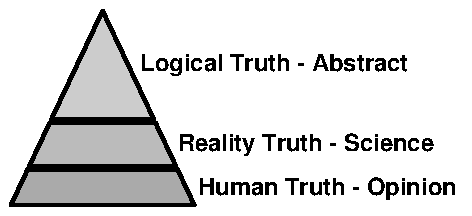 Logical truth (symbol manipulation, program code)
Reality truth (facts, engineering, traditional science)
Human truth (opinion, perhaps based in reality or logic)
Logical truth (symbol manipulation, program code)
Reality truth (facts, engineering, traditional science)
Human truth (opinion, perhaps based in reality or logic)
8. Learning


There is only one thing that is harder than learning something new.
What is it?
The only thing that is harder than learning something new is unlearning something old.
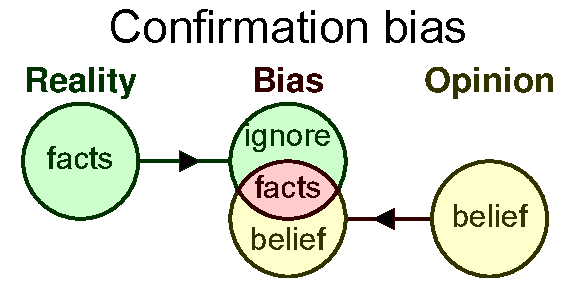
This can be seen as a "
confirmation bias". Everyone has it.
9. Fortran
In the 1970's, John Backus told programmers to use functional languages (data driven) rather than Fortran (code driven).
BNF = Backus-Naur Form grammars are named for Backus.
They laughed at and ignored him. Who is this John Backus anyway to be telling "
us" what to do?
10. Unlearning
Perfecting oneself is as much unlearning as it is learning. Edsger Dijkstra (computer scientist)
A common saying that applies here is the following.
Old habits die hard.
11. Try the following
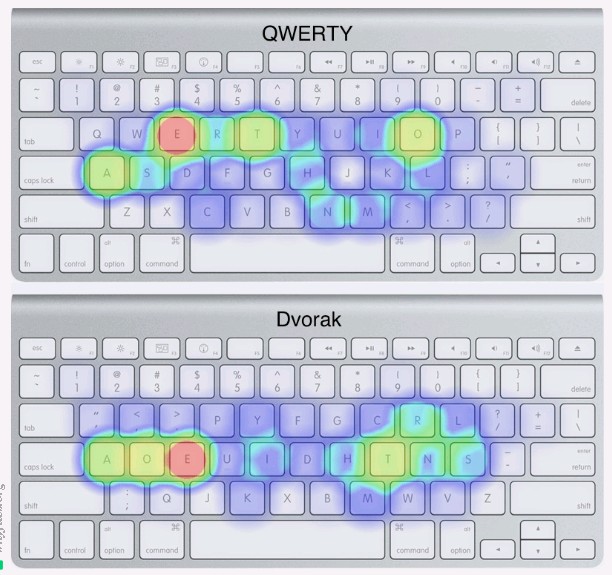
Try the following.
Switch your keyboard layout from Qwerty to Dvorak.
Placement of keys
Alternation of keys
Try switching a foreign language from one dialect to another.
In programming, change the way you indent code.
Indentation is important but you need more than good indentions.
12. Tricks
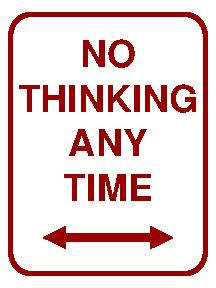 You cannot teach an old dog new tricks.
No way.
We've always done it that way.
I don't think so.
Ain't happening.
NIH = Not Invented Here
You cannot teach an old dog new tricks.
No way.
We've always done it that way.
I don't think so.
Ain't happening.
NIH = Not Invented Here
One should not use programming "
tricks" except when necessary and then they should be well documented/commented.
13. CS: Code tricks
One should not use coding "
tricks" unless necessary. Sometimes such "
tricks" are necessary.
When necessary, such "
tricks" should be documented/commented appropriately. Bad comments explain the code or overly explain the algorithm used, etc.
In general,
KISS = Keep It Simple Stupid. This is line with Occam's razor, also known as the "
law of parsimony".
14. Fun and coding
Most good programmers do programming not because they expect to get paid or get adulation by the public, but because it is fun to program. Linus Torvalds (Finnish-American software engineer who created what is called Linux)
15. Personal projects
Text formatter system. About 1,500 pages of Python (and growing)
Editor macro system. About 1,000 pages of Lua.
Web infrastructure: About 500 pages of PHP and JavaScript
Graphics infrastructure: About 500 pages of PostScript
Management of images, students, etc. About 5,000 pages of Delphi.
[comment on the typical student
CMS = Content Management System. as a
TPS = Transaction Processing System]
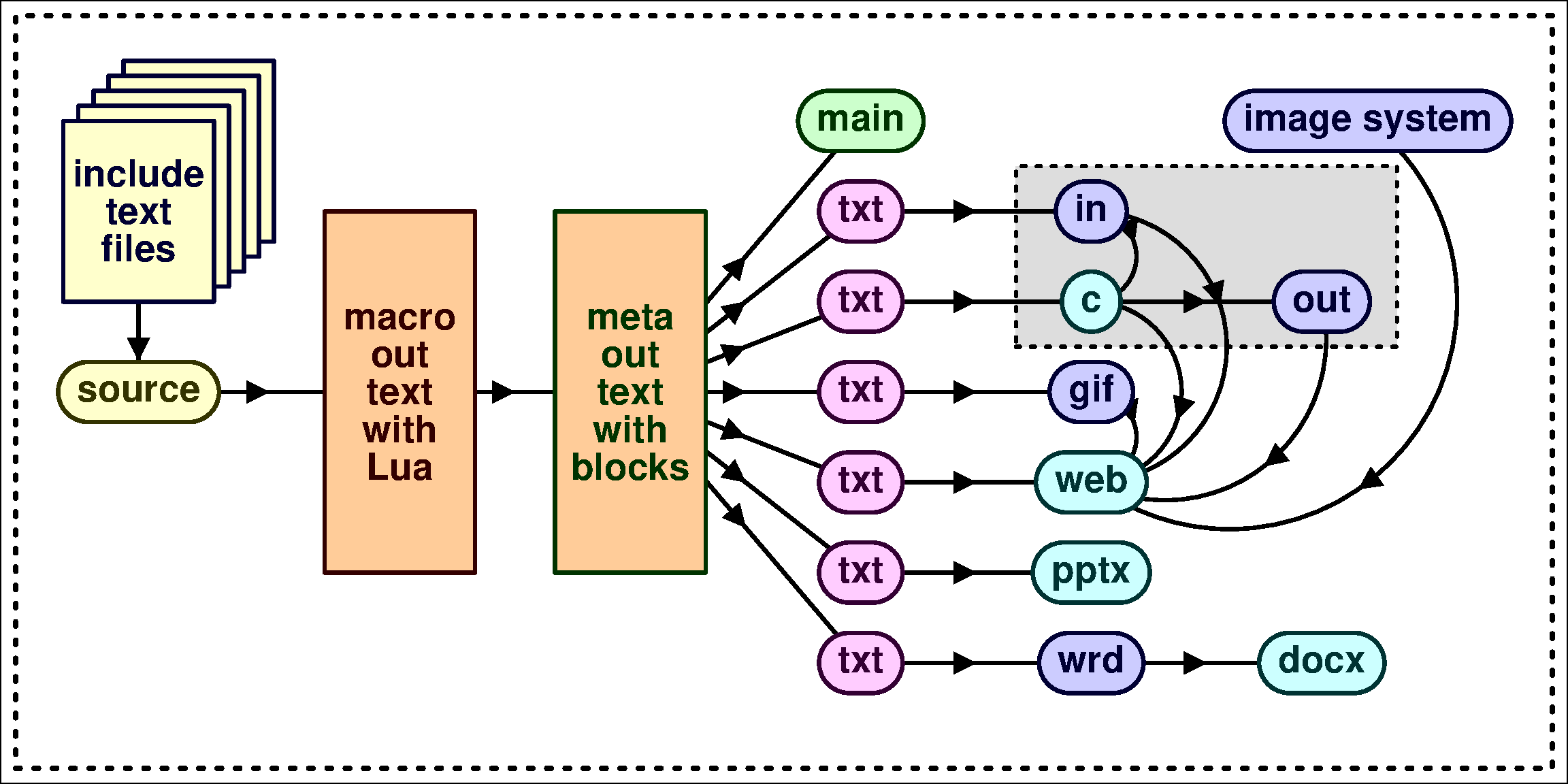
16. Text formatter system
17. Source examples
18. Source to target languages
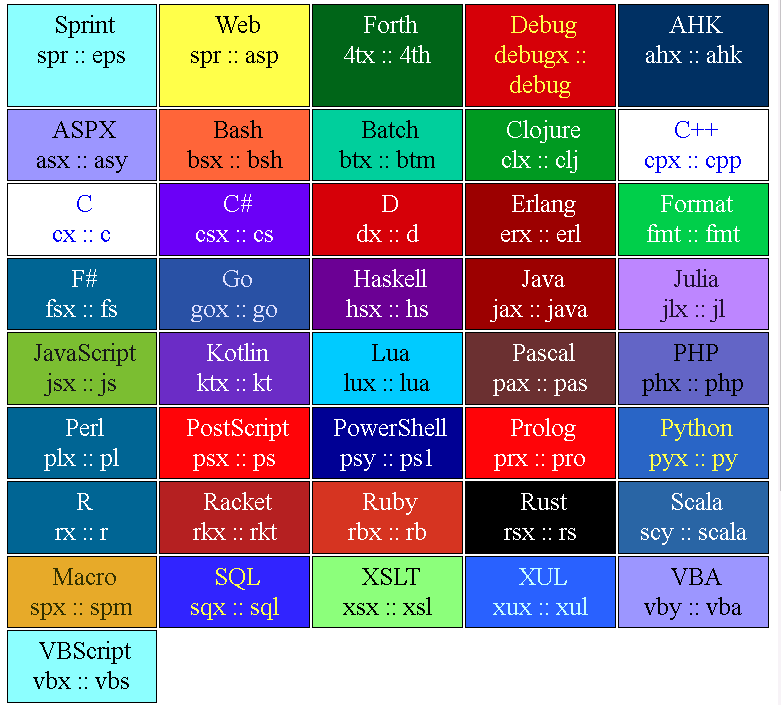 Lua
Lua,
PHP,
Python
JavaScript,
Java, Kotlin
Bash,
Batch,
PowerShell
PostScript, Forth, Perl
R,
SQL, XUL, AHK
ASP,
ASPX,
VBA, VBS
C, D, C++,
C#, Rust
Go,
Julia,
Pascal, Ruby
Clojure, Haskell, F#
Racket, Scala,
XSLT
Erlang,
Prolog
19. Text formatter system
The text formatter system can format itself.
1 Old Python formatter - Sprint
2 New Python formatter - Python
3 New new Python formatter
4 Python formatter fixed point
Keep in mind the "
Back to the future" movie series and what Doc. Brown tells Marty.
There are now two of me here, and there are two of you here.
20. Text decisions
In the formatting system, text decisions can be made at the following places.
Editor macros (Lua, based on Borland Sprint editor macros)
Formatter macros (based on Borland Sprint formatter macros)
Embedded Lua
Python block formatting and custom classes
Custom code (many languages), image processing, etc.
PHP web sever pages
JavaScript web client pages
[demo on content change] [advice about
UI (User Interface) decisions]
21. Source code
The same document source code can be formatted into the following.
Word document
PowerPoint presentation
Web page
plain text
The same program code source code can be formatted into many different programming languages.
Code (in many languages using the same macro format) in the document can be run, with input from the document, to generate output that is included/embedded in the document.
22. Distributed output
All document and program diagnostic output can be clicked on and the user is taken to the source code or the source data (if applicable).
Debugging output is distributed and can appear on one of many target computer systems.
Mouse and keyboard are seamlessly connected via Synergy among 10 to 20 monitors (as needed).
23. Editor assistance

Source code change are made in the editor. A good editor is important. I use SciTE (based on SCIntilla) customized.
Some editors provide editor macro support to help automate tasks.
Lua is used to process every keystroke typed with custom and context-sensitive keystroke processing.
An "
issue system" can help in feedback of changes from the formatter to the editor - since user approval is needed. Example:
case of identifiers.
24. Case sensitivity
A case sensitive notation means that the following names are all different.
DELETE dELETE DeLETE deLETE DElETE dElETE DelETE delETE
DELeTE dELeTE DeLeTE deLeTE DEleTE dEleTE DeleTE deleTE
DELEtE dELEtE DeLEtE deLEtE DElEtE dElEtE DelEtE delEtE
DELetE dELetE DeLetE deLetE DEletE dEletE DeletE deletE
DELETe dELETe DeLETe deLETe DElETe dElETe DelETe delETe
DELeTe dELeTe DeLeTe deLeTe DEleTe dEleTe DeleTe deleTe
DELEte dELEte DeLEte deLEte DElEte dElEte DelEte delEte
DELete dELete DeLete deLete DElete dElete Delete delete
A case insensitive notation would consider the all of the above the same identifiers. In general, try not to use case-sensitive identifiers. I like case-retention with formatter macro issue support to make source consistent.
25. Servers
Servers help process the distributed user interface and processing.
node.js (JavaScript)
custom Python server
custom batch server (TCC for Windows, BASH for Linux)
Thunderbird and Firefox and Chrome (JavaScript)
client page JavaScript server as needed
vDOS server (for legacy Python and legacy formatting)
Cluster computing is used when needed.
26. Code development
Fallacy:
Type in all your code and then make changes until it works.
Should a teacher help a student debug their code that they typed in, changed, etc., and the code does not appear to be working correctly? How about using stepwise/iterative refinement?
There is only one way to eat an elephant: a bite at a time. Desmond Tutu.
27. Code development
1 Code dev 1
2 Code dev 2
3 Code dev 3
4 Code dev 4
5 Code dev 5
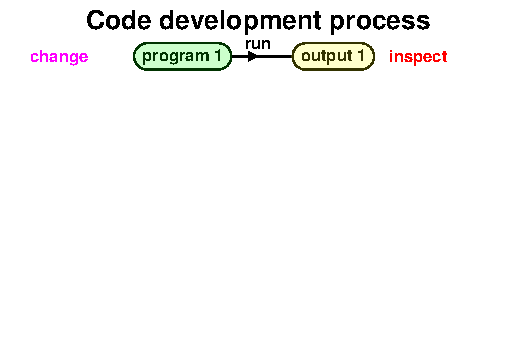
In order to develop code, a code development process is needed.
Most students write lots of code and then try to get it working.
This does not work very well.
28. Command line
There are tools for doing automatic compares. Described below.
Every beginning course should cover how to use the
command line to complete an assignment. If the
IDE = Integrated Development Environment stops working ,the student has a way to complete the assignment (on time).
Students should be able to install software without help.
29. Bash scripts

Instead of having students type everything at the command line, I created a Bash script system to make it much easier to edit,, compile and run. On every compile, the (one) source code (file) is uniquely saved. (Lots of research data for me).
Bash is short for "
Bourne Again Shell" which is a play on words on Bourne, who created the better scripting system for Linux and the "
Born Again" religious movement (made famous by President Jimmy Carter).
30. Change management
31. Example in WinMerge
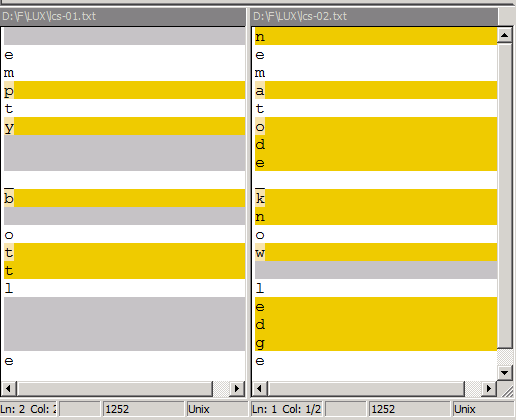
Some analysis/compare programs.
WinMerge
DifMerge
nematode-knowledge
empty-bottle
32. Exact math approximates reality
33. Exact math approximates reality
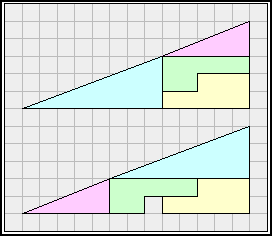
A common programming fallacy taught to beginning students is to use floating point variables when it is not appropriate.
An exact mathematical solution involving real numbers (which are not really real, they are assumed to be real) is only an approximation.
Any floating point number (e.g., that represent real numbers) has an inherent rounding error.
Note: We are here ignoring discrete mathematics that involve only integers.
34. Slide rules
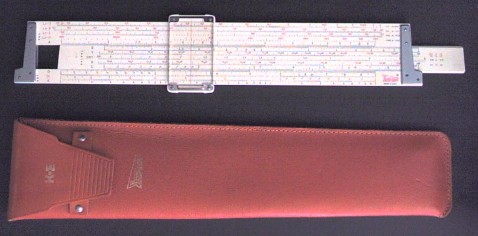
A slide rule (not slide ruler) was once used to do manual computations.
Whenever a slide rule is used, it is very evident that any computation involving real numbers is an approximation.
35. Mathematics and computation
What are the values of the following (using a computer program)?
1/10
1/10 + 1/10
1/10 + 1/10 + 1/10
1/10 + 1/10 + 1/10 + 1/10
1/10 + 1/10 + 1/10 + 1/10 + 1/10
1/10 + 1/10 + 1/10 + 1/10 + 1/10 + 1/10
1/10 + 1/10 + 1/10 + 1/10 + 1/10 + 1/10 + 1/10
1/10 + 1/10 + 1/10 + 1/10 + 1/10 + 1/10 + 1/10 + 1/10
1/10 + 1/10 + 1/10 + 1/10 + 1/10 + 1/10 + 1/10 + 1/10 + 1/10
1/10 + 1/10 + 1/10 + 1/10 + 1/10 + 1/10 + 1/10 + 1/10 + 1/10 + 1/10
Note: These are rational numbers, not irrational like
√2 or transcendental numbers like
π or
e.
36. Mathematical point of view
Here is the mathematics result expressed as real (rational) numbers.
1/10 = 0.1
2/10 = 0.2
3/10 = 0.3
4/10 = 0.4
5/10 = 0.5
6/10 = 0.6
7/10 = 0.7
8/10 = 0.8
9/10 = 0.9
10/10 = 1.0
37. Lua program
Here is a simple Lua program to add values of 1/10 as 0.1.
The 17 places in the output is important to being exactly precise.
38. Program output
Here is the result from a computation point of view as the output of the above program.
Even when symbolic math can solve a problem, any attempt to compute real answers involves the same approximations.
39. Error accumulation
The difference is small at each step but the difference can add up to a significant amount over many iterations.
Note: One can fix this specific instance by using a fixed decimal notation, but that only works, in base 10, for numbers and increments that are multiples of 2 or 5, the prime factors of 10.
40. Chaos theory
Rounding errors need to be addressed in fields of computer science such as numerical analysis.
41. Chaos theory
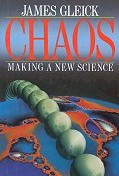 James Gleick (American author and historical scientist)
 has written a very interesting book on the field known as "
chaos theory" - a sensitive dependency on initial conditions. The field was accidentally discovered by the young French mathematician Henri Poincaré while attempting to find an exact mathematical solution for the three body problem.
Gleick, J. (1988).
Chaos: making a new science. New York: Penguin Books..
42. Two and three body problem
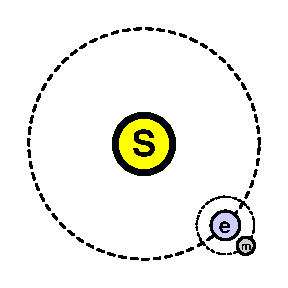
Exact mathematics can solve the (idealized) two body problem such as the sun and earth or the earth and moon.
An exact solution for the (idealized) three body problem such as the sun, earth and moon has not been found.
Accurate weather prediction requires solving the (idealized) almost infinite particle system.
43. Quantum computing in brief
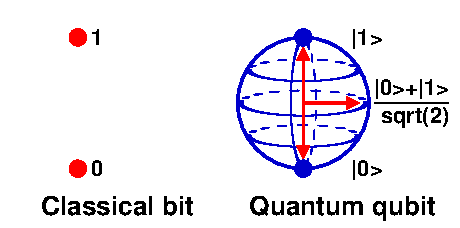
Quantum computing:
 much faster than conventional computers
best for problems that allow probabilistic solutions
cannot solve all problems - despite the hype
much faster than conventional computers
best for problems that allow probabilistic solutions
cannot solve all problems - despite the hype
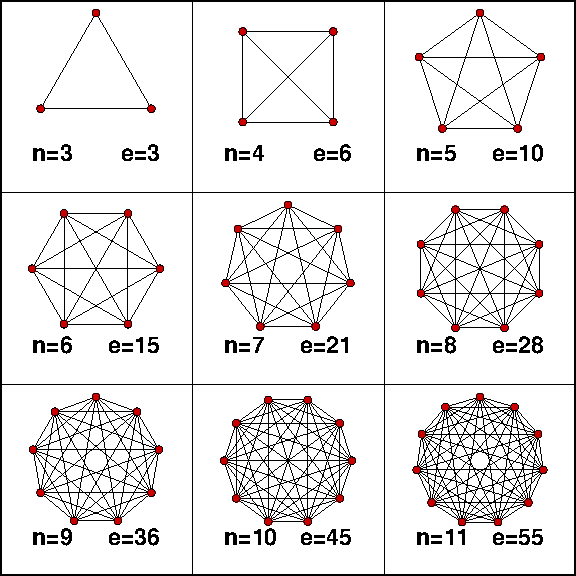
[exponential speedup not clearly defined, like entanglement]qc-11
44. Quantum computing analogies
Quantum computing analogies: pick the best way
walk on foot: pencil and paper
drive by car : conventional computer (go most anywhere)
fly by jet : quantum computers (does not go anywhere, sometimes impractical)
no way to get to Mars, nearest star, etc.
45. Dollars and cents
Fallacy:
Dollars and cents should be represented using floating point variables.
The general rule, sometimes taught, that if the number has a decimal point, it should be represented as a floating point variable does not hold for dollars and cents.
The amount $123.56 is not a floating point value. It an integer value. That is 12345¢ cents.
Rule: Convert dollars and cents to cents, do the arithmetic, then convert back into dollars and cents (for display purposes). This distinction needs to be carefully handled in languages such as JavaScript and Lua which do not have integer variables.
The approximation issue involves floating point division so every such division needs to result in an integer value.
46. Numbers
Fallacy:
Social security numbers and phone numbers should be represented using integers.

How should social security numbers and phone numbers be represented? They appear to be numbers. That is, integers.
Are you ever going to add, subtract, multiply or divide these values? If not, use text.
SSN: 999-99-9999 (1 billion values, originally geographically located)
Ask your self the following question.
Are you ever going to add, subtract, multiply or divide these values?
If not, represent them using text. Note:
Leading zeros are lost using integers.
If an ordering is present, care must be taken when sorting lists of such values.
47. Real numbers
3.
1415926535
8979323846
2643383279
5028841971
6939937510
5820974944
5923078164
0628620899
8628034825
3421170679
...
|
Chaitin states in his book Meta Mathematics that Émile Borel, in 1927, "pointed out that if you really believe in the notion of a real number as an infinite sequence of digits 3.1415926..., then you could put all of human knowledge into a single real number",
Chaitin refers to this Borel number concept as "Borel's amazing know-it-all real number".
|
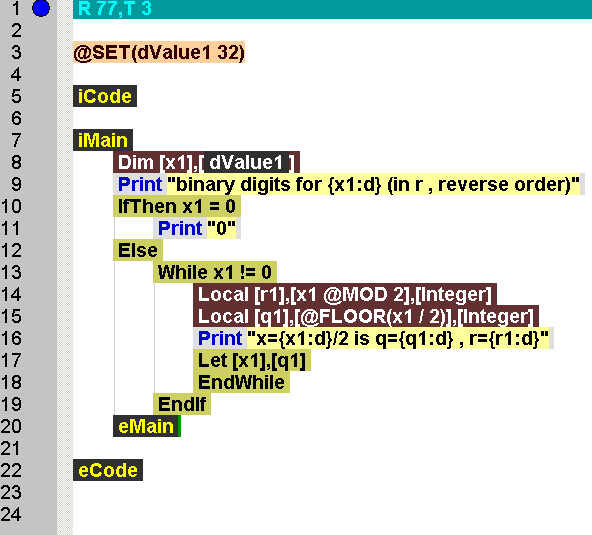
48. Single entry single exit blocks
49. Begin and end block style choices
There are many styles for indentation using curly braces.
Python uses indentation instead of braces.
Lua uses end brace.
C, C++, Java, JavaScript, etc., use curly braces { and }.
LISP, etc., uses parentheses ( and ).
Pascal used
begin and
end blocks. Modula-2 removed the
begin. Lua followed.
In programming, you need more than good indentions.
50. Control flow charts
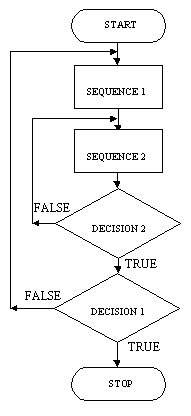
An
algorithm is a precise step by step method for solving a problem. A
control flow chart (or flaw chart) is a pictorial form of an algorithm. Flowcharts are difficult to draw, process, and update. Flowcharts do not easily scale up to handle large programs.
Control flow charts went out of style in the 1970's, but people continue to use them. Avoid flow charts. Data flow (and other) charts are still very useful.
51. Flaw charts
Fallacy:
Control flow charts are a good way to specify algorithms.
A flow chart has the following properties.
difficult to understand (like a puzzle to be solved)
makes it hard to establish correctness
is often not updated when the program code is updated and thus out of sync
52. Useful charts
There are many types of useful charts such as
UML (Unified Modeling Language) charts.
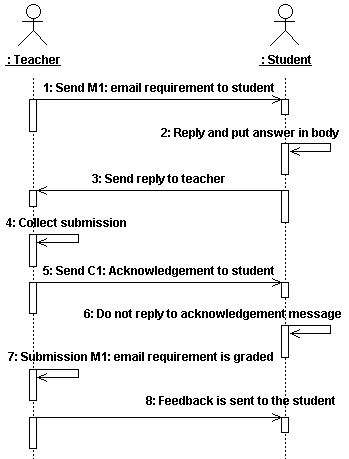 Sequence diagrams
Data flow charts
State diagram charts
Activity or collaboration charts
Sequence diagrams
Data flow charts
State diagram charts
Activity or collaboration charts
Control flow charts are not useful. Instead, use
pseudo-code.
[UML jobs, Alan Kay on bricklayers]
53. Pseudo-code for polygon area
Get units and number of points
Set total area to 0.0
FOR EACH pair of adjacent points\
(x1,y1) and (x2,y2) DO
IF the pair is the first pair THEN
Set the base (x0,y0) to (x1, y1)
ELSE
Calculate triangle area of points\
(x0,y0) , (x1,y1) , (x2,y2)
Add area to total area
END IF
END FOR
Output total area of the polygon
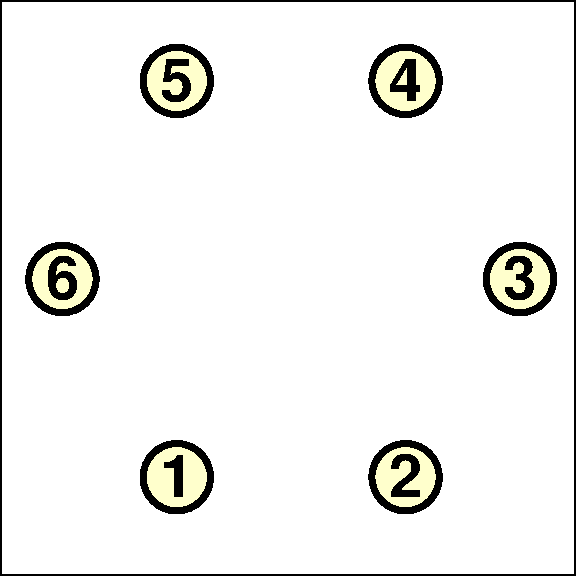
1 Start with 6 nodes.
2 Process from 1 to 6.
3 Node 1. No triangle yet.
4 Node 2. No triangle yet.
5 Node 3. Triangle area of 1 2 3.
6 Node 4. Triangle area of 1 3 4.
7 Node 5. Triangle area of 1 4 5.
8 Node 6. Triangle area of 1 5 6.
54. Musical analogy
Provide the pseudo-code to the student in the first course.
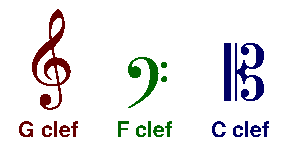 Creating your own music is like creating pseudo-code.
Learning an instrument is like learning coding.
Playing an instrument is like coding pseudo-code.
Creating your own music is like creating pseudo-code.
Learning an instrument is like learning coding.
Playing an instrument is like coding pseudo-code.
Students learn with examples of how to do things.
55. Course assignments
Example: Pseudo-code for determining the area of a polygon.
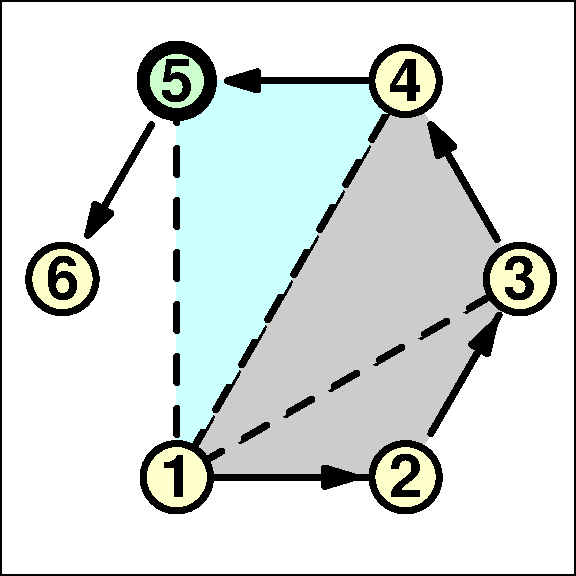
This is an end-of-course goal. Work back from goal to previous assignments (top-down, backward chaining) to get subgoals.
Distance between two points (for perimeter)
One triangle area of three points
Various loops and data structures - variables, arrays, records, etc. (refactoring)
Assignment sequences are designed (by the teacher) top-down. Assignments are done (by the student) bottom-up.
56. Programming course
An introductory programming course should emphasis both ideas and mechanics of programming, but not require a high level of intelligence as in requiring the design of solutions for problems.
Computer science: too hard, requires too much intelligent problem solving
Business: to easy, does not cover ideas or mechanics needed
My opinion (since about 2000): The introductory programming course should be the same for all majors. After that course, the student can decide which direction to take, provided the registrar and departments can handle such changes.
57. Making code run fast
Fallacy:
You should make your code run fast.
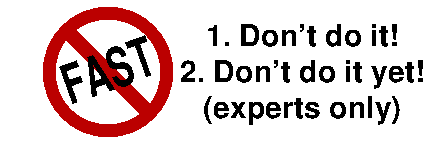
Here are Jackson's rules of code improvement (to run faster or take less space).
Rule 1: Don't do it.
Rule 2: (For experts only!) Don't do it yet.
Try to make your code clear as to correctness. If it does not have to work correctly, I can make the code as fast as you want.
58. Fast code
A CS student takes courses on simple ways to make code reasonably fast. Making code fast has issues.
It can cost a lot in time and effort.
It makes the code less maintainable and more prone to errors.
It can cause legal issues if anything stops working or changes how it works.
The same remarks hold for making code take less space.
Before spending time making code fast, or taking less space, get the approval of the manager. [opportunity cost]
59. Everything in the program is important
Fallacy:
In a well-written production program, every part of the program is important.
In a first programing course, every part of a program code assignment should be important. If not, it should be removed and the program should continue to work as desired.
This rule can be (and should be, at times) violated in larger software systems. Why?
60. Summary
Some common programming fallacies have been presented. Many more were omitted.
Fallacies in general, truth and lies
Learning and unlearning
Top down design and bottom-up implementation (coding)
Integer and floating point approximation
Single-entry single-exit blocks and indentation and screen space
Flow/flaw charts and pseudo-code
Making code run fast (or take less space)
61. Questions, comments
62. End of page

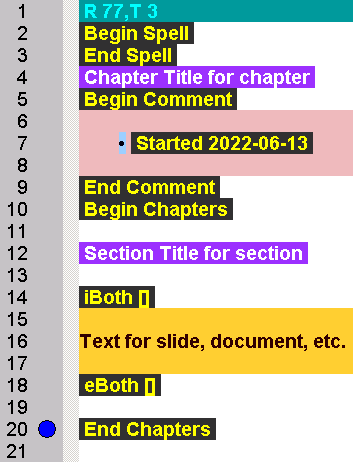

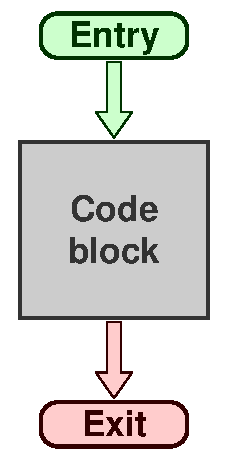 SESE (Single Entry Single Exit) code blocks are important for program correctness and understanding and reasoning about the behavior of program code.